



So yeah, media players for smart TVs and PCs… I honestly didn’t expect to waste half a Saturday afternoon fiddling with this stuff, but my TV kept choking on some random MKV files I had on a thumb drive and my laptop wasn’t much better. I kinda figured the built-in stuff would just handle it. Turns out nope.
It was one of those gray rainy days, AC humming loud enough to notice, coffee slowly going cold next to me while I kept glancing at my phone for quick YouTube fixes. Anyway, I tried a bunch of players, screwed up a couple times, got frustrated, changed my mind about a few, and here’s what actually stuck for me.
Why I Even Started Dealing With This
Nothing fancy at my place—just a regular smart TV I got a few years back and my everyday Windows laptop. I’ve got some old home videos plus a bunch of movies that the TV’s default player would either freeze on or completely ignore the subtitles for. Super annoying. I thought “eh, there’s gotta be better options out there.”
Started with the stock apps. Big mistake. The TV acted like it had never seen a .srt file in its life. Then I jumped straight to VLC thinking it would magically fix everything.
VLC on the PC – Still My Everyday One
On the laptop, VLC is the one I open most of the time. Free, plays almost anything, and I grabbed it straight from videolan.org because I’m not falling for shady download sites again.
This might sound dumb but last year I clicked one of those fake “VLC update” pop-ups and it screwed up my browser extensions for weeks. Learned that lesson.
VLC handles weird formats, fixes audio sync when it’s off, and subtitles usually just work. The interface is kinda old-school but I don’t mind. I didn’t think the little equalizer tweaks would matter for movies, but they saved me during one late-night watch when the dialogue was out of sync.
On the smart TV though? The Android version exists but using it with the remote felt clunky and slow. I kinda gave up halfway and looked for something easier on the big screen.
Kodi – Felt Like Too Much at First
Next I tried Kodi. Man, it’s way more than just a player—it’s like a whole media center thing. You can organize libraries, change skins, make it look nice on the TV.
I installed it on both the PC and the smart TV. At first I was pumped because everything looked organized, but setting it up properly took longer than I wanted. Adding my network folders and getting the thumbnails to show right? I completely misunderstood how much fiddling it needed and spent like an hour swearing at the screen.
This is where it got weird: I almost uninstalled it right away because it felt overwhelming with the remote. But once I figured out the basics, Kodi became my favorite for playing local files on the TV. It handles bigger files better than the built-in one. Still, some nights I just want simple and go back to easier apps because Kodi can feel like overkill if you’re not in the mood.
I changed my mind about it being “too complicated for normal people”—it’s actually worth the hassle if you have a decent collection, but yeah, not for quick and dirty playback.
Plex When I Want to Stream from the Laptop
Plex was the one that worked nicely when I wanted to watch stuff from my laptop on the TV without dragging cables around. You set up a server on the computer and the TV app finds it.
I did the setup one random evening with rain tapping on the window and some background traffic noise. The TV found the server pretty quick and the artwork looked clean. Free version is good enough for most things, though they push the paid stuff.
My dumb mistake? I didn’t realize how picky it is about steady Wi-Fi. One night the connection dipped and everything buffered forever. After that I started using a wired connection when I could.
Plex feels smoother for streaming your own stuff across the house, but it’s not as straightforward for just plugging in a USB drive.
The Other Stuff I Tried (and Mostly Gave Up On)
- Stock smart TV player: Easy but limited. Mine skips formats or subtitles half the time.
- MX Player on the TV: Decent for local files and subtitles, but the ads in the free version got old fast.
- A couple random free apps that popped up: Some were okay, others crashed or looked ugly.
Here’s my messy unordered thoughts on what I tested:
- VLC: Solid on PC, okay but awkward on TV with remote
- Kodi: Powerful once set up, but the first hour or two made me question my life choices
- Plex: Great for streaming from laptop to TV, needs good network
- Default TV apps: Fine for simple videos, expect headaches with anything fancy
I probably under-explained half of this but honestly I was just trying to get stuff to play without freezing.
The Moment I Almost Quit
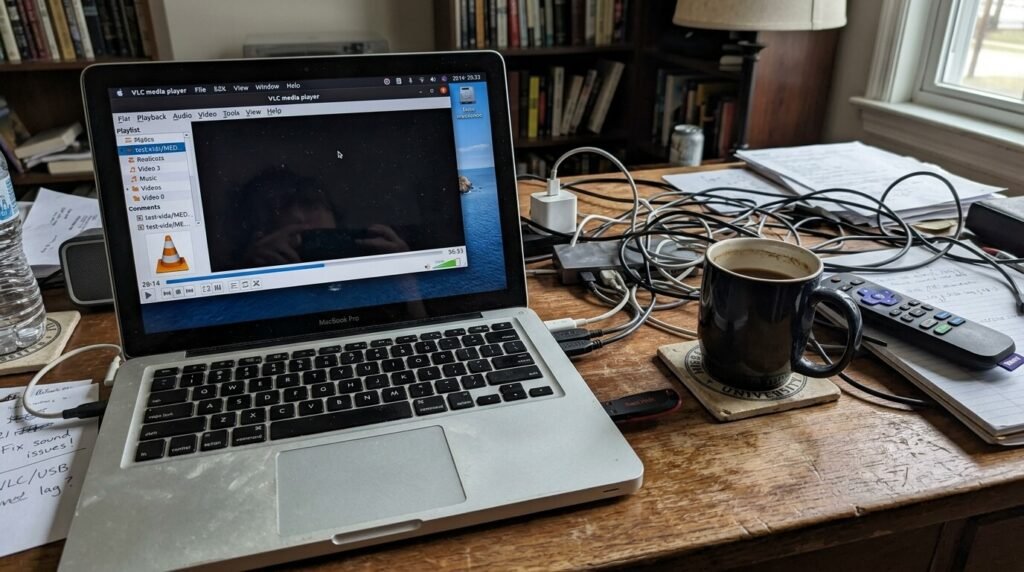
There was a point where I seriously considered just HDMI-ing the laptop to the TV every time. The “smart” features started feeling pretty dumb after all the format issues and slow menus. But then I gave it one more try and realized dedicated players do make a difference, especially with bigger files.
I still have second thoughts sometimes—like, will the next TV software update break my favorite app? Probably. Tech moves weird.
Anyway…
For media players for smart TVs and PCs, I ended up mostly sticking with VLC on the computer and bouncing between Kodi and Plex on the TV depending on what mood I’m in. I changed my mind from “one perfect app exists” to “it depends on what you’re actually trying to watch and how lazy you feel.”
My real takeaway? Don’t stress too hard at the beginning—just download a couple free ones and see which one doesn’t make you want to chuck the remote across the room. It might take a weekend and a few cold coffees, but when your movie finally plays right it feels good.
If you’ve got your own stories about this, feel free to share what worked (or completely failed) for you. No big deal either way.
So yeah, that’s pretty much it from me. The AC is still running and there’s probably something waiting on the TV now. Catch you later.




