



Anyway, I ended up downloading a bunch and testing them out over a couple rainy afternoons here in the States. The AC was humming in the background, my TV was on mute with some news ticker running, and I was just checking my phone every few minutes like “okay, does this one sync or what?”
Why I Even Started Looking
I had this MKV file from years ago – you know, one of those that Windows Media Player just stares at blankly. Tried playing it on my phone during a trip and nope. Then on my buddy’s Mac it was fine but subtitles looked weird. I kinda assumed there’d be one perfect app that just worked everywhere. Turns out it’s not that simple, but close enough for most stuff.
I misunderstood at first and thought “cross-platform” meant it would magically sync my watch history or something. Nah, mostly just that the app exists on Windows, Mac, Linux, Android, iOS, etc. Live and learn.
The One That Actually Saved Me Most Days – VLC
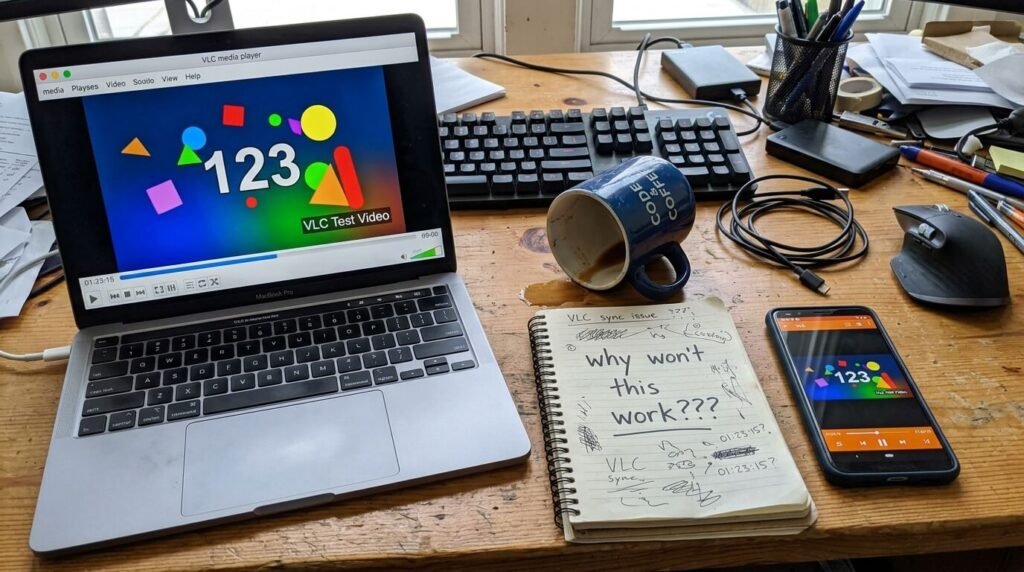
First sentence after all that rambling: media players that work on all devices really do exist, and VLC is the one I kept coming back to. I downloaded it on my laptop, phone, even tried the tablet version. It plays pretty much any file I throw at it without needing extra codecs or whatever.
I remember this one time I was frustrated because a video from my old camera wouldn’t open anywhere. Installed VLC on my Android and boom, it worked. Then same on my Windows machine. Felt like a small win. But here’s where I contradict myself a bit – sometimes the interface feels a little dated, like it hasn’t changed much in years, and I get why some people bounce off it. Still, it does the job when others don’t.
I didn’t think this would matter but the fact it’s free and open-source made me trust it more. No weird ads popping up mid-video or anything.
What Got Weird with Other Options
So yeah, I tried a few others too. Plex was interesting because you can set up your own media server and stream to all your devices. I set it up one evening thinking it’d be perfect for my movie collection. It worked okay on my phone and laptop, but then I changed my mind when the free version had some limits that annoyed me during a long flight (or at least that’s what I imagined happening). Paid version might be better, but I hesitated.
Kodi sounded powerful but it felt overwhelming with all the add-ons. I installed it, played around for an hour, then uninstalled because I just wanted to hit play, not build a whole library system. This is where it got weird – I kinda loved the idea but in practice it was too much for casual watching.
MPV or SMPlayer came up in some searches but they seemed more for desktop power users. Didn’t test them as much on mobile, so I can’t say they fully count as media players that work on all devices for me.
I made a mistake early on assuming every “universal” player would handle subtitles perfectly across platforms. Nope. Sometimes they show up, sometimes the timing is off, and I spent way too long tweaking that instead of just watching.
Quick List of What I Tried (Not Super Polished)
- VLC – Works on basically everything I own. Free. Plays weird files. Sometimes the UI bugs me but I always go back.
- Plex – Great if you want to organize a big collection and stream around the house. Needs setup though.
- Built-in ones like Windows Media Player or whatever comes on Mac – forget it for tricky files.
- A couple Android-specific ones that didn’t cross over well.
Numbered? Nah, not really. Just what stuck in my head.
I watched this random YouTube video about VLC tips while testing: https://www.youtube.com/watch?v=aSUOa4gd_BU I clicked it because the thumbnail looked straightforward and I was stuck on some audio sync issue. Watched it on my phone while the laptop was rendering or something. It helped a little with understanding why VLC handles so many formats.
For more official info, the VideoLAN site is where I grabbed VLC from originally – they explain the cross-platform stuff better than I can.
The Part Where I Second-Guessed Everything
Honestly, after a week of this I almost gave up and just converted all my files to MP4. But that felt like cheating. Then I realized most modern media players that work on all devices handle the common stuff fine now. It’s the old or obscure files that trip things up.
I hesitated recommending any one as “perfect” because what works for my setup (laptop + Android phone mostly) might not for someone with a fancy smart TV or iPhone only. Small doubt there.
The traffic outside was picking up while I was typing this, and it made me think how we’re all just trying to watch our stuff without hassle.
Wrapping This Up Casually
So yeah, if you’re in the same boat of hunting for media players that work on all devices, start with VLC and see if it clicks for you. I changed my mind from thinking nothing would work everywhere to being okay with “good enough on most things.”
My honest takeaway? It’s never one perfect solution, but getting close saves a lot of headaches. If any of this sounds familiar, drop a comment or whatever – what media player do you actually stick with? No pressure, just curious while my coffee’s probably cold again.




