



I’ve been tinkering with websites for years now, ever since I launched my first personal blog back in my tiny studio apartment in Chicago. Honestly, embedding video always felt like this necessary evil—like, sure, it makes the content pop, but man, the headaches. Web video players comparison became my obsession after one too many late nights where a simple video embed tanked my site speed on mobile. I remember sitting there at 2 a.m., rain tapping on the window, frustrated because the default HTML5 video tag looked clunky and kept buffering during my test uploads. Yeah, I’ve made some dumb choices, like sticking with whatever came pre-installed in my CMS for way too long.
Why a Good Web Video Player Matters (My Painful Lesson)
Look, I’m no pro developer, just a guy who likes sharing videos of weekend hikes or quick tutorials from my living room. But when traffic started picking up, I realized the player I picked affected everything—load times, how it looked on phones, even whether people actually watched till the end. I once used a basic setup that worked fine on my desktop in good Wi-Fi, but on my commute home on the train, using spotty LTE, it was a disaster. Video stuttered, controls disappeared, and I lost viewers. That’s when I dove into a real web video players comparison.
The native HTML5 <video> tag is simple and free, but it lacks polish. No easy adaptive streaming, limited customization, and it behaves differently across browsers. I learned that the hard way after a family video call recording looked great in Chrome but weirdly cropped on Safari.
Video.js: The Free Customizable Workhorse
Video.js is one of the first ones I tried seriously in my web video players comparison. It’s open-source, lightweight, and super flexible if you’re okay messing with JavaScript. I integrated it on a test page for my hiking blog, and honestly, it felt empowering at first. You can skin it however you want, add plugins for analytics, and it handles HLS streaming decently.
But here’s the honest part: I spent a whole Saturday afternoon in my kitchen, laptop on the counter next to half-eaten takeout, debugging why the controls weren’t showing on iOS. It worked great on desktop, but mobile was finicky until I added extra plugins. If you’re a developer who enjoys tweaking, it’s fantastic and free. For beginners? It can feel overwhelming.
Pros: Free, huge plugin ecosystem, consistent across browsers. Cons: Requires coding knowledge, no built-in hosting or advanced monetization.
I still use a modified version on one of my smaller sites because it loads fast and doesn’t bloat things.
JW Player: Powerful but Pricey for Serious Use
Next up in my tests was JW Player. This one felt more “professional” right away—great for adaptive bitrate streaming, ad integration, and analytics. I remember embedding it for a short video series I made about home brewing (my latest hobby in the garage). The player looked slick, loaded quickly even on slower connections, and had nice features like chapter markers.
The downside hit when I saw the pricing for full features. As someone watching every dollar (especially after that unexpected car repair last winter), the enterprise-level costs made me pause. It’s excellent if you’re running a bigger site or need monetization tools, but for my personal projects, it sometimes felt like overkill. Still, in the web video players comparison, it shines for reliability and speed.
Flowplayer and Plyr: Lightweight Alternatives I Actually Liked
Flowplayer surprised me with how fast and clean it felt. Lightweight, good for quick embeds, and it didn’t slow down my pages like some heavier options. Plyr, another open-source favorite, has this modern, minimal UI that I kinda fell in love with—clean buttons, nice progress bar, works smoothly on touch devices.
I tested Plyr while sitting on my couch one lazy Sunday, streaming a test video of neighborhood fireworks. No lag, beautiful on mobile. These are solid if you want something simple without diving deep into code.
Other Options Like Brightcove or Platform Players (Vimeo, YouTube)
For hosted solutions, I’ve leaned on Vimeo’s player a lot because it handles privacy and branding better than YouTube for my more personal stuff. YouTube is everywhere and free, but the ads and lack of full control bug me sometimes. Brightcove is enterprise-grade—powerful analytics and DRM—but way beyond what I need in my everyday setup.
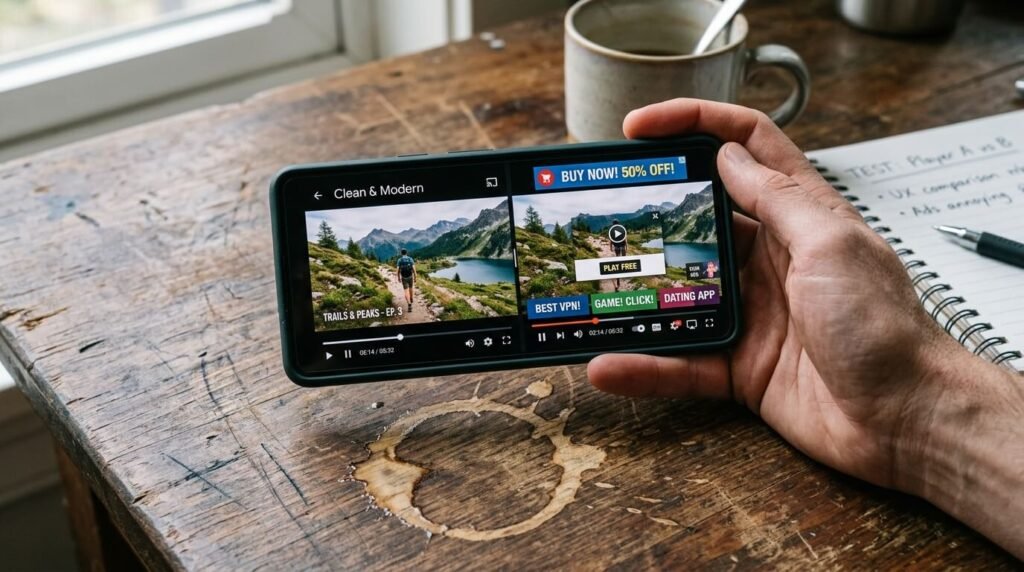
In my web video players comparison, the “best” really depends: free and custom like Video.js or Plyr for tinkerers, robust commercial ones like JW Player for businesses.
My Biggest Mistakes and What I Learned
I once launched a page with the wrong player and watched bounce rates spike. Lesson? Always test on real devices—my old Android phone from the drawer revealed issues the desktop never showed. Another time, I ignored mobile optimization and paid for it with frustrated comments from friends trying to watch on their phones during lunch breaks at work.
Start simple, test speed with tools like Google PageSpeed, and think about your audience. Do you need ads? Customization? Low latency?
Wrapping Up My Web Video Players Comparison
After all the late nights, coffee runs, and a few embarrassing “why isn’t this working” moments in my everyday American life, no single web video player is universally best. For most folks like me—hobbyists or small site owners—Video.js or Plyr offers a sweet free starting point with room to grow. If you’re scaling or need pro features, JW Player or hosted options like Vimeo might be worth the investment.
My takeaway? Pick based on your actual needs, not hype, and don’t be afraid to experiment like I did. What’s your experience been? Drop a comment below—I read them all and might even test your suggestion next. If this helped, share it with a friend tinkering on their own site.
Thanks for hanging out through my rambling take. Catch you in the next one.




